AI infrastructure — 2026-06-27PUBLIC
Owning your AI stack: local inference, sovereign compute, and the open-source tools that replace paid SaaS
Heavy AI users are replacing ~$5,280/year in subscriptions with owned hardware (Mac Mini clusters and a 128GB Ryzen box running Qwen3 235B locally) plus open-source tools like n8n and Vaultwarden. The hardware paths, the break-even math, the open-source SaaS-replacement map, the security, and where renting still wins.
≈ 17 min read
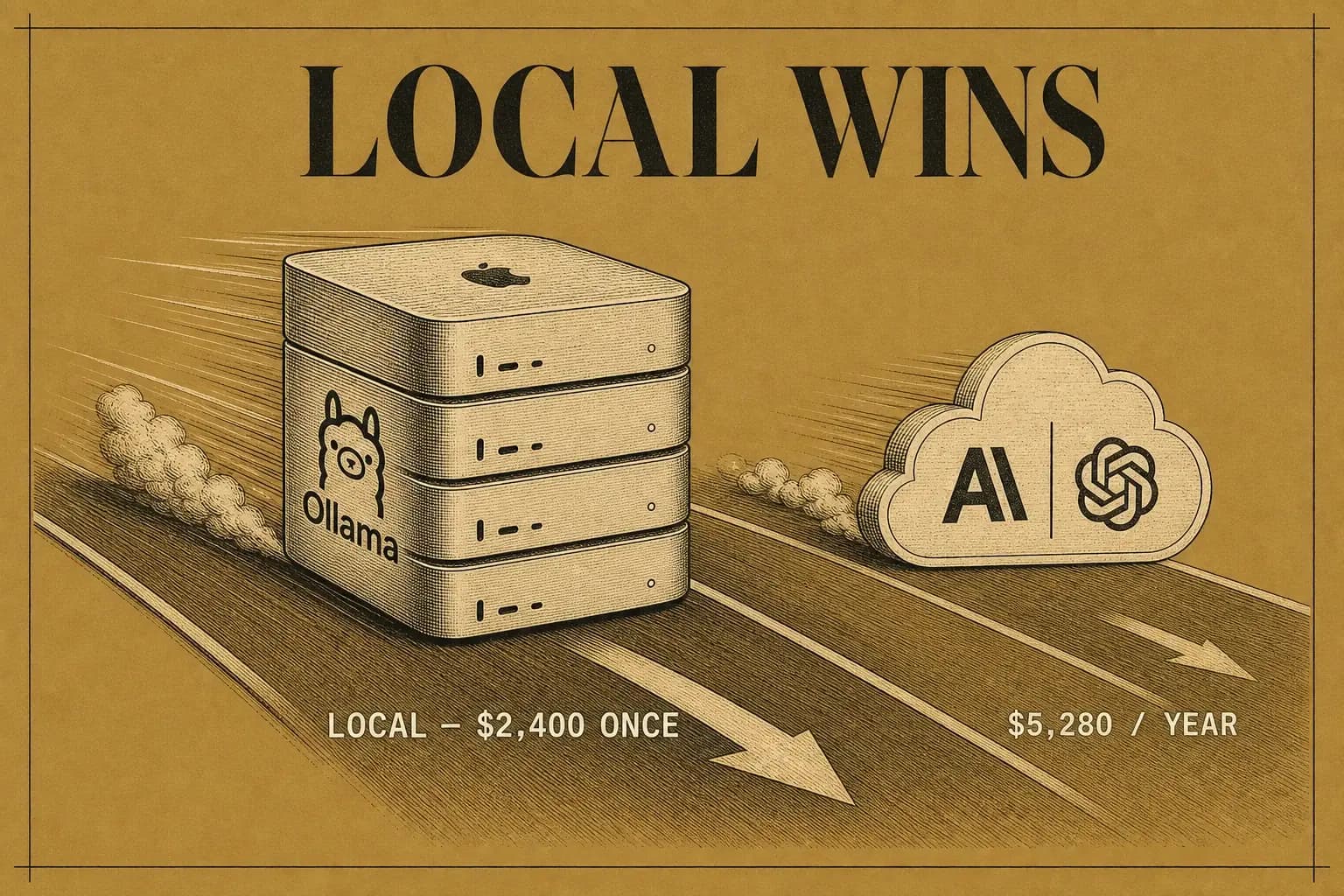
Three desks, three ways off the subscription treadmill:
- One developer stacked four Mac Minis on a wooden desk and says the cluster turned a $249-a-day AWS inference bill into about twelve dollars a month of electricity, for $2,400 spent once.
- Another strapped two toaster-sized cooling fans onto a single $599 Mac Mini, ran DeepSeek 14B on it around the clock, and canceled his Anthropic subscription outright.
- A third loaded a 128GB AMD Ryzen box, pulled Qwen3 235B through Ollama, pointed Claude Code at localhost, and now nothing he types ever leaves the machine.
None of these are hobby builds. They are the leading edge of a quiet decision a lot of heavy AI users are making: stop renting the compute layer, and own it. The hardware is cheap. The engineering to make it run 24/7 is where the real work hides.
CH.01
Why own your AI stack instead of renting it?
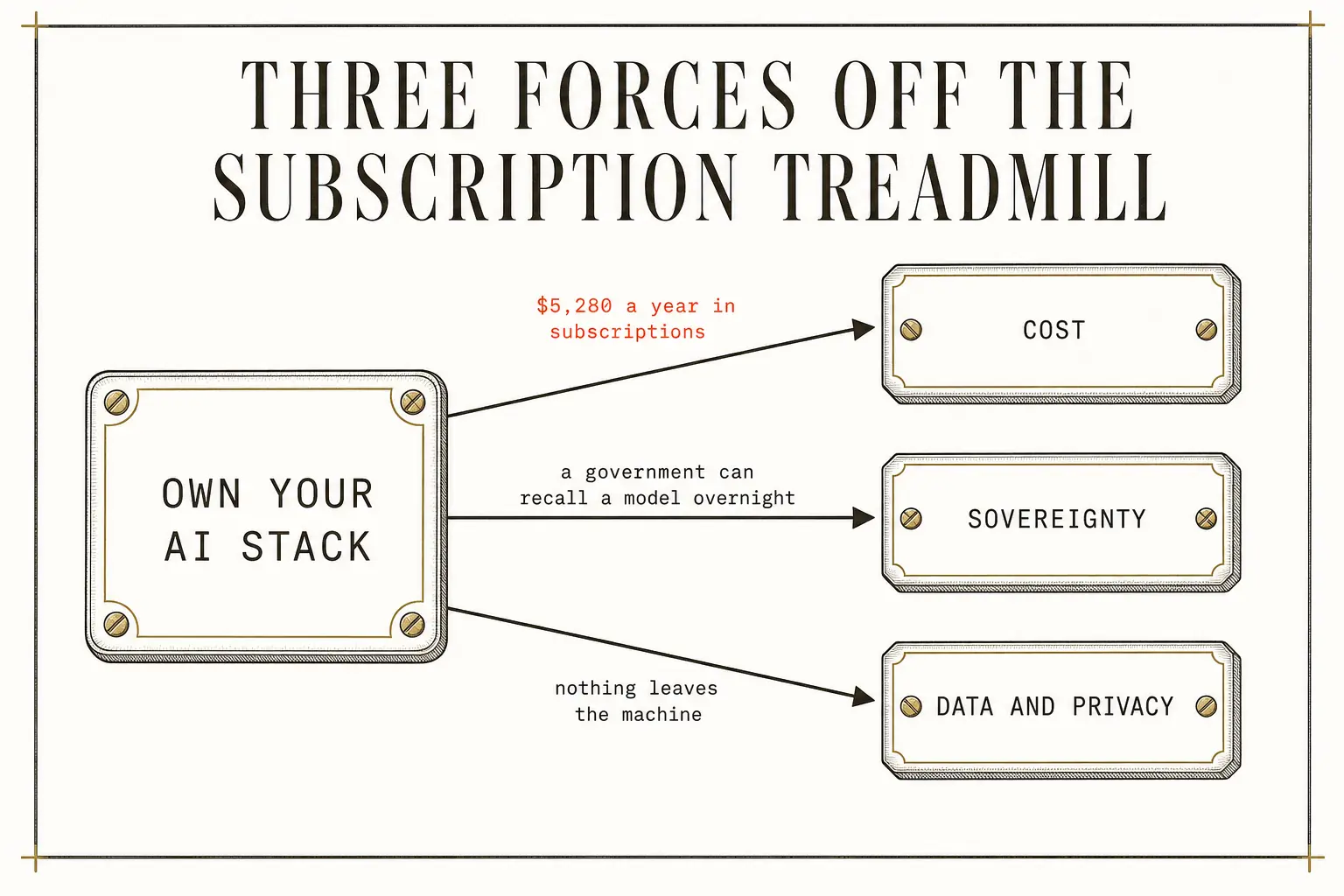
Three forces push you off the subscription treadmill: cost, sovereignty, and privacy. Only the first one is about money.
Cost
Start with the bill, because it is brutal for heavy users. @adiix_official adds it up: Claude Code, ChatGPT Pro, Cursor, and Gemini Pro run roughly $5,280 a year in subscriptions, and @Sprytixl lands on the same figure independently. A heavy individual or small team can easily run $300–$500 a month across AI and SaaS tools they don't fully control. Run multi-agent workflows (hundreds of agents in parallel, the way @0xKnzo describes, or autonomous coding loops that burn tokens overnight) and the API meter scales linearly past $249/day.
Sovereignty
But cost is the shallow reason. The deeper one is sovereignty. @adiix_official's cautionary example: as he tells it, when a US export-control directive reportedly targeted Anthropic's Fable 5 and Mythos 5 models, Anthropic couldn't surgically block foreign nationals and pulled the models globally, and every user lost access overnight. The point underneath stands whether or not that exact episode plays out: if your business runs on a model a government can recall in hours, you don't own your infrastructure. You rent it under political terms you never got to negotiate.
Data and privacy
The third reason is data. @Sprytixl's 128GB rig exists for exactly one sentence: "nothing leaves the machine." For anyone touching client data, proprietary code, or regulated information, local inference doesn't just cut a bill. It deletes a whole category of exfiltration risk. As @AtsuyaYamakawa frames it, once agents gain autonomy the question becomes who the agent is representing, and the infrastructure underneath becomes a compliance surface. Local gives you an audit trail a cloud API never will.
CH.02
What hardware actually runs models at home?
Three proven paths, and they differ less in raw speed than in how big a model they can hold in memory.
| Path | Example build | Memory ceiling | Best for | The catch |
|---|---|---|---|---|
| Mac Mini M4 cluster | 4× $599 (16GB each) | ~14B per node | low-friction entry, silent at idle | 16GB soldered, non-upgradable |
| AMD Ryzen AI Max+ 395 | 1× ~$1,700 (128GB unified) | 200B+ (110GB to GPU) | running Qwen3 235B locally | desk-heater heat and noise |
| 4-node AMD Beowulf | ~$4,000 (8U rack) | multiple large models at once | small teams, max density | 400–600W, needs rack airflow |
Mac Mini M4 clusters: the entry point
A base $599 Mac Mini M4 (16GB unified memory) runs Ollama or LM Studio out of the box. @0xKnzo stacks four on a wooden desk behind a gigabit switch and claims the cluster replaced $249/day in AWS bills: $2,400 up front, ~$12/month electricity. @humzaakhalid confirms the $599 floor and names the software: Qwen 3.6 14B for coding, DeepSeek R1 14B for reasoning, Gemma 4 4B for quick tasks, all through Ollama, with Claude Code aimed at localhost. The hard constraint is that 16GB: it comfortably runs 14B models at Q4/Q5 quantization, but won't touch 70B+ without crushing quality. The saving grace is 120 GB/s memory bandwidth, which keeps generation fluid even when RAM is tight. And the memory is soldered, so you buy your ceiling once.
AMD Ryzen AI Max+ 395: the power-user path
This is where the corpus gets specific. The chip shares 128GB across CPU, GPU, and NPU. On Linux you can hand 110GB straight to the GPU for model loading. @adiix_official's sequence is three steps: install Ollama, pull Qwen3 235B, point Claude Code at localhost, for the only consumer-grade route to a 235B model on your desk. @gippp69 sources it as a GMKTEC EVO-X2 for about $1,700. The unified pool is the whole trick: a discrete GPU gives you fixed VRAM islands (24GB on a 3090 or 4090, 48GB on an RTX 6000 Ada, 80GB on an A100), but here the GPU reaches 110GB with no copy overhead while the CPU shares the same memory. For inference where model size is the bottleneck, that beats raw compute. The tax is thermal and acoustic. At a 55W TDP it's manageable for bursts, but sustained loads make it a space heater the Mac Minis never become.
Multi-node AMD Beowulf: the scale play
@MyWestLord runs the most ambitious build: four AMD desktop nodes in an 8U rack, gigabit switch, wired together with Ansible into a "Beowulf cluster," each node with its own fan, CPU cooler, and PSU. Four desktops plus cooling at full load likely pulls 400–600W continuous. At $0.12/kWh, that's $35–$50/month. Still trivial against cloud GPU rental, but not the $12/month of a Mac Mini stack.
Wiring any tool to your cluster
Whichever you pick, the wiring is the same. Ollama serves an OpenAI-compatible endpoint at localhost:11434, and any tool that speaks that API can be redirected to it. Per @Voxyz_ai: edit codex/config.toml with oss_provider = "ollama", model_providers.local name = "Ollama", and base_url = "http://localhost:11434/v1", or just export OPENAI_BASE_URL=http://localhost:11434/v1 in your shell. For multi-node clusters, a reverse proxy (nginx or HAProxy) fans requests across machines.
flowchart LR
  A["Any OpenAI-compatible tool"] -->|"OPENAI_BASE_URL"| B["Ollama at localhost:11434"]
  B --> C["Local model (14B to 235B)"]
  D["Multi-node cluster"] --> E["Reverse proxy (nginx / HAProxy)"]
  E --> B
CH.03
Why is cooling the cost nobody budgets for?
A Mac Mini's thermal design assumes email and browsing, not 24/7 inference. Skip the cooling and your $599 machine becomes a $599 space heater running at half speed.
Every source running sustained workloads ends up talking about heat. @0xKnzo's "giant coolers" the size of a toaster are, in practice, 120mm or 140mm USB fans on custom brackets. The M4's stock thermals are built for bursty loads. Pin the GPU at 100% and it throttles, token speed drops, and you simply don't get the hardware you paid for. The Ryzen box, with 128GB working hard, wants enhanced airflow or an undervolt. The Beowulf rack needs real front-to-back airflow or the units cook each other.
The test is the same everywhere and worth burning into a checklist: run your target model at full utilization for four straight hours, watch clock speeds, and if they fall more than 15% from baseline you have a thermal problem to fix before anything goes to production.
Monitor with the right tool for the platform:
powermetricson a Maclm-sensorson Linuxamd-smifor AMD GPU utilization
CH.04
When does owning actually pay back?
For sustained workloads, local hardware pays for itself in months, not years, but only if you're honest that you'll still keep a cloud model for the hard 20%.
| Setup | Upfront | Annual operating | Equivalent cloud | Break-even |
|---|---|---|---|---|
| 4× Mac Mini M4 (16GB) | $2,400 | ~$150 (electricity + cooling) | $200–$500/mo subscriptions | ~5–12 months |
| 1× Ryzen AI Max+ 395 (128GB) | ~$1,700 | ~$200 | $5,280/year (subscriptions) | ~4 months |
| 4-node AMD Beowulf | ~$4,000 | ~$600 | ~$15,000/yr (est. GPU rental) | ~4–6 months |
The honest read: the math works for exactly two profiles (heavy daily users already spending $200–$500/month on cloud AI, and privacy-first teams that legally can't ship data to an API). Total outlay runs $2,400–$6,000 and amortizes over 12–18 months of otherwise-paid subscriptions.
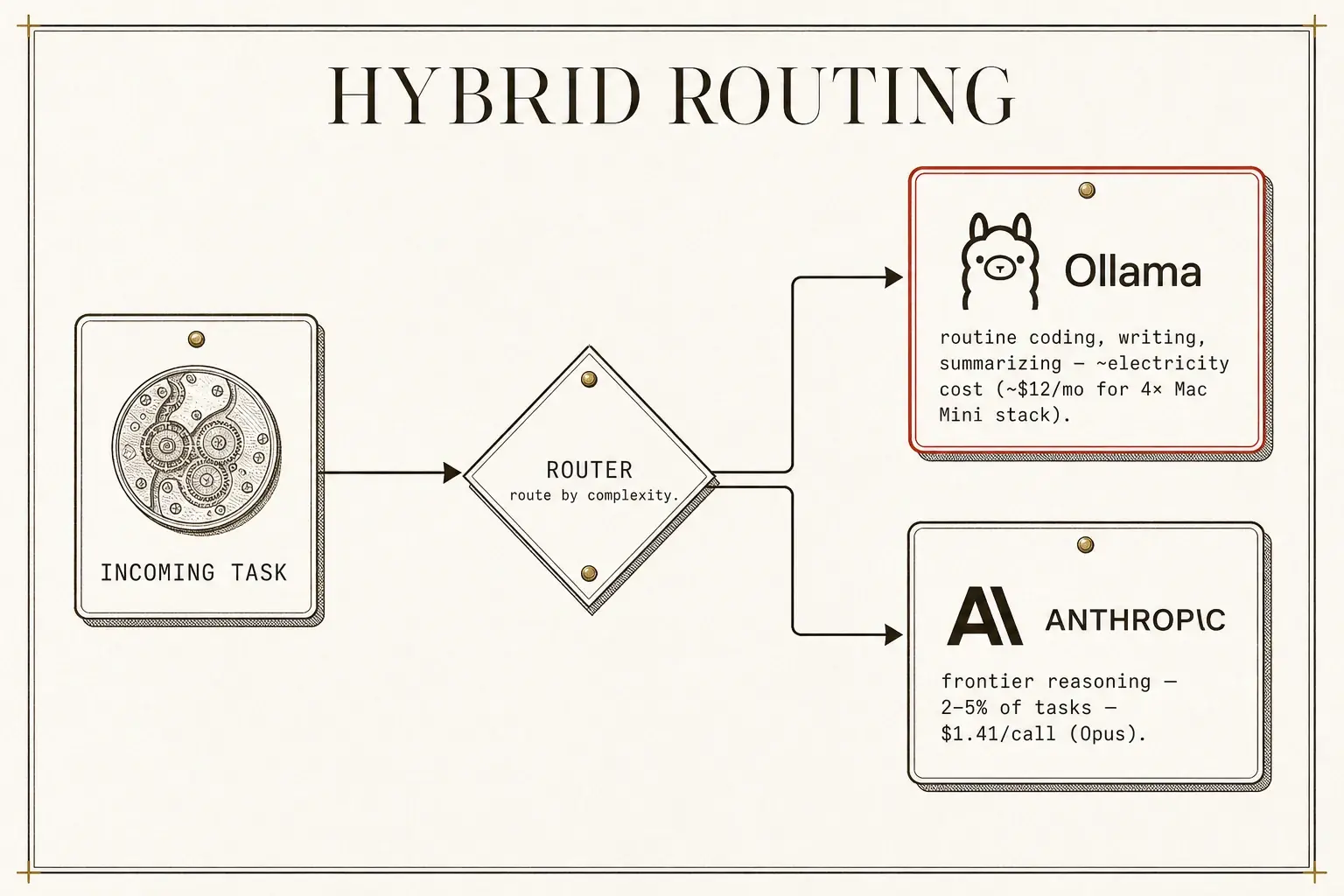
Nobody serious runs only local. They run a hybrid: local for volume, cloud for the frontier edge cases.
- @Sprytixl's router holds context across the switch, sending routine work to the cheap model and reserving Opus for complex work ($0.09 per Kimi K2.6 call versus $1.41 on Opus).
- @0xLogicrw shows the same pattern at company scale: Lindy moved all client-side traffic off Anthropic to open-source models, saving millions, but kept Claude Opus wired in as an automatic fallback for the 2–5% of tasks where the open model fails.
- @gippp69 says it plainly, covering "daily work (writing, coding, summarizing) and private workflows," and you "keep one cloud model as a backup."
Anyone promising total replacement is selling.
CH.05
Which open-source tools replace your paid SaaS?
The clearest wins aren't models. They're the infrastructure and automation tools where a self-hosted project is a line-item elimination on your P&L.
@exploraX_'s mapping is the most concrete and verifiable in the corpus, cross-referenced here with @Nayak__Ai's 12-category swap list and @DAIEvolutionHub's GitHub-alternatives index:
| What you're doing | Open-source replacement | Paid tool it kills |
|---|---|---|
| Automation / workflow | n8n (also Activepieces, Pipedream) | Zapier, Make |
| Scheduling / booking | Cal.com | Calendly |
| Newsletter / blog | Ghost | Substack, Ghost Pro |
| Password manager | Vaultwarden | 1Password, Bitwarden Cloud |
| Photo / video backup | Immich | Google Photos, iCloud |
| CRM | Twenty | Airtable, HubSpot |
| Database backend | Supabase | Airtable, Firebase |
| Multi-model chat | LibreChat | ChatGPT Plus, Claude Pro |
| AI coding | OpenHands, Aider, Codex CLI | GitHub Copilot, Cursor Pro |
| Video generation | HyperFrames, MoneyPrinterTurbo | Runway, Pika |
| Financial terminal | Fincept Terminal | Bloomberg |
| Email / voice | Agentic Inbox (Cloudflare), VoxCPM | paid email assistants, voice cloning |
| OSINT / API glue | Flowsint, Nango | paid research / API tools |
| Web analytics | Plausible | Google Analytics |
A few that deserve their names spelled out:
- n8n carries 400+ native integrations (past 500 counting community nodes), plus native LangChain support. @MiteshJ71069's head-to-head is blunt: "Triggers: n8n dominates. Integrations: n8n connects to 500+ tools and any API. Models: n8n lets you swap between OpenAI, Anthropic, or local Ollama." @dashboardlim built a guide specifically to replace $20K/year of Zapier with it.
- OpenHands carries tens of thousands of GitHub stars and is reported in use at major tech firms.
- Per @FelixAix, "OpenAI's Codex can now run locally through Ollama, completely free," pairing the Codex CLI with DeepSeek V4, Gemma 4, or Qwen 3.6.
The throughline of the whole table: the wins that matter are the infrastructure and automation tools you can self-host and own, not the creative SaaS you'd only ever rent. If you already run autonomous engineering through Claude Code in the terminal, the paid IDE overlays (Cursor, Windsurf, Copilot) are redundant spend, not added capability.
CH.06
How do the tools become a system, not a junk drawer?
The real cost saving isn't replacing tools one by one. It's wiring them into one system where they share context, memory, and orchestration. That's where most "open-source alternatives" lists quietly fail.
The backbone is a three-layer architecture, articulated by @Goodness065: "n8n, where the real work happens. Airtable [or Supabase], not just a spreadsheet, this is my backend. Claude, my digital team member." n8n is the nervous system, a database is the memory, an LLM is the brain. Every replacement tool slots into one of those three. The integration pattern from @AliAlkhuzaee_ shows it in motion: n8n Form Trigger → Gemini 2.5 Flash with a LLaMA 3.3 fallback → Tavily search → PDF conversion → email + Telegram notification.
flowchart LR
  A["n8n Form Trigger"] --> B["Gemini 2.5 Flash<br/>(LLaMA 3.3 fallback)"]
  B --> C["Tavily search"]
  C --> D["PDF conversion"]
  D --> E["Email + Telegram"]
Production-grade automation that costs API fees only on the AI calls, never on the orchestration.
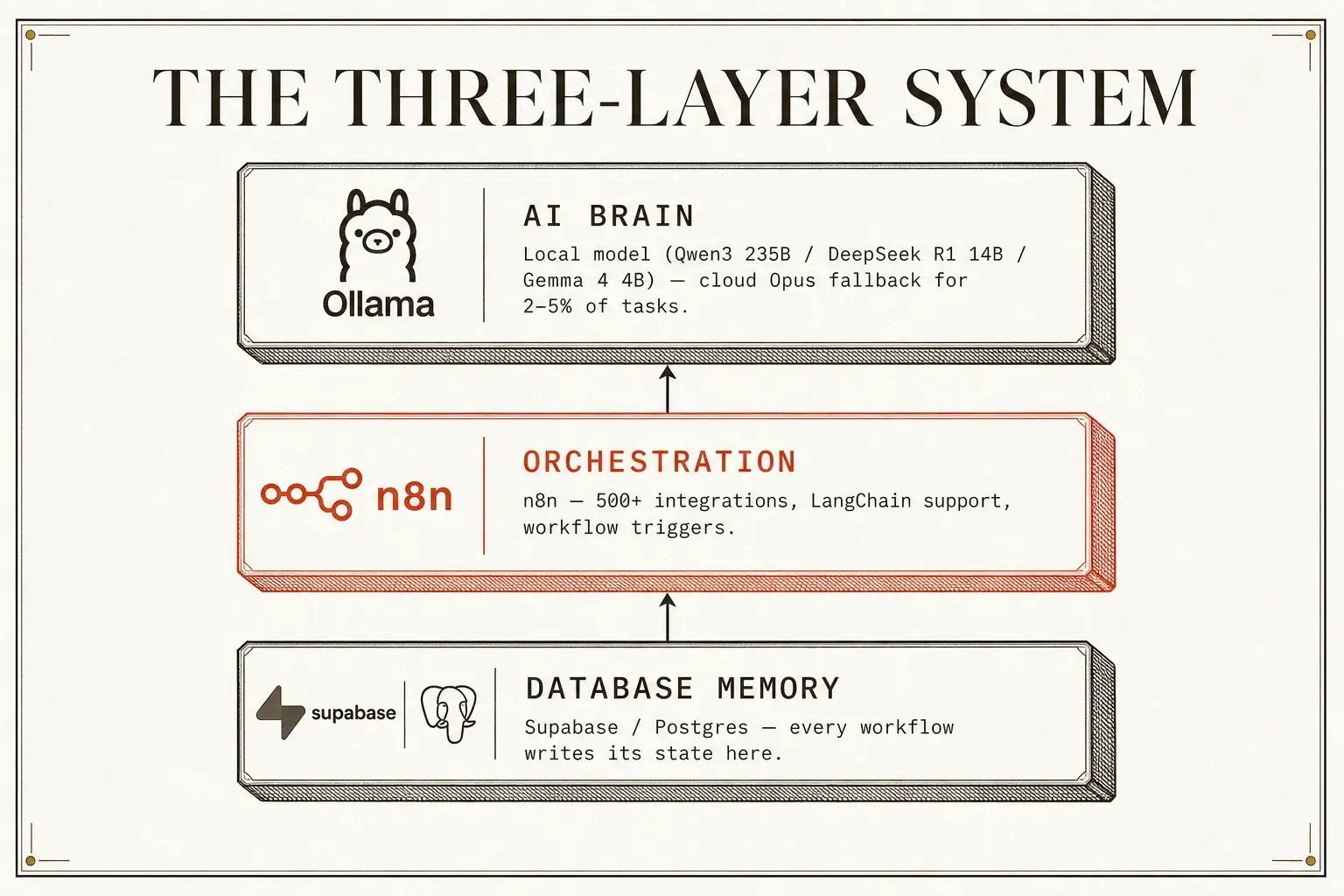
On top of that runs the same cheap-default, frontier-fallback router from the cost chapter, now serving the whole system rather than one task. Layer a true multi-agent OS on top of that (a director agent delegating to focused sub-agents over one shared persistent memory, so they stop being amnesiacs) and you've crossed into the agentic-OS build, which is its own subject, worked out in full here. What the infrastructure layer owes that OS is exactly what this chapter is about: the wiring, the database memory, and the local-default routing it runs on.
The control plane is a messaging app, not a monitor
Then there's the part most people miss. Operators run the whole cluster from a chat app:
- @0xKnzo texts his cluster from his iPhone "like messaging an employee."
- @SolaraAi77792 "moved my entire dashboard to Telegram. 1 bot now runs 13 AI agents, sales alerts, deploys, finances. I literally check revenue from the bathroom."
- @humzaakhalid runs OpenClaw as a Telegram daemon.
- @MyWestLord runs "4 headless machines, 4 copies of OpenClaw, dummy HDMI plug in" (a fake monitor that tricks the Mac into rendering so OpenClaw keeps working) streamed back via Jump Desktop.
- @Sprytixl bought a separate Mac Mini, "gave it full computer access, connected it to Telegram and started texting it commands."
Your sovereign cluster runs from a phone, and the keyboard becomes optional.
The margin story: white-label agencies
The business overlay, where owning the stack stops being a cost story and becomes a margin story, is the white-label agency pattern (@heynavtoor): take Cal.com, Ghost, and n8n, self-host them, rebrand them, sell the integrated system. Concretely:
- Deploy Cal.com for a client's scheduling.
- Wire it to n8n for follow-ups and CRM updates.
- Host Ghost for their content.
- Charge $2,000 setup + $500/month, on a $5/month VPS.
The mechanism is proven enough that Cal.com's own founders reportedly hit $5M ARR in three years doing the managed-service version, and n8n built a venture-backed business on the back of the same agency model. The margin logic shows up across operator accounts: a content-automation retainer that needed a human team becomes deliverable by one operator plus the stack, and the marginal cost of the next client is tokens and hosting, not another payroll line. The inversion of the cost structure, not any one quoted retainer figure, is the real point.
The durable insight underneath all of it, from @DeRonin_, @sairahul1, and @plainionist: the advantage isn't which model you use, it's how you structure the system around it. @DeRonin_ is sharp about the graveyard: "AutoGen/AG2: moved to community maintenance, releases stalled, dead for production. CrewAI: demos well, breaks in production." The skills that compound are "context engineering, tool design, orchestrator-subagent pattern, eval discipline, the harness mindset." Self-hosting n8n saves money, but the durable return is the harness you build, the thing that lets you swap models, add verification, and keep audit trails. Even @exploraX_'s note that n8n runs a "sustainable use license, not OSI open source" points the same way: the value is the operational pattern, not the license.
CH.07
How do you stop an agent from leaking everything?
Running agents with filesystem, network, and tool access on bare metal is a security catastrophe waiting for a prompt-injection attack. Docker isolation is the floor here.
@0xKnzo is blunt: "Hermes runs in isolation. Every agent sandboxed in its own container." Each agent gets restricted permissions. The host's emails, bank accounts, and SSH keys stay invisible from inside. @AiCamila_ layers defense in depth on top:
- sandbox tool execution
- validate and sanitize every output
- implement data-loss prevention
- run adversarial testing
- enforce runtime policies with OPA or Kyverno
@Sprytixl adds the physical version: a separate Mac Mini for the agent so even a fully compromised one can't reach your primary workstation.
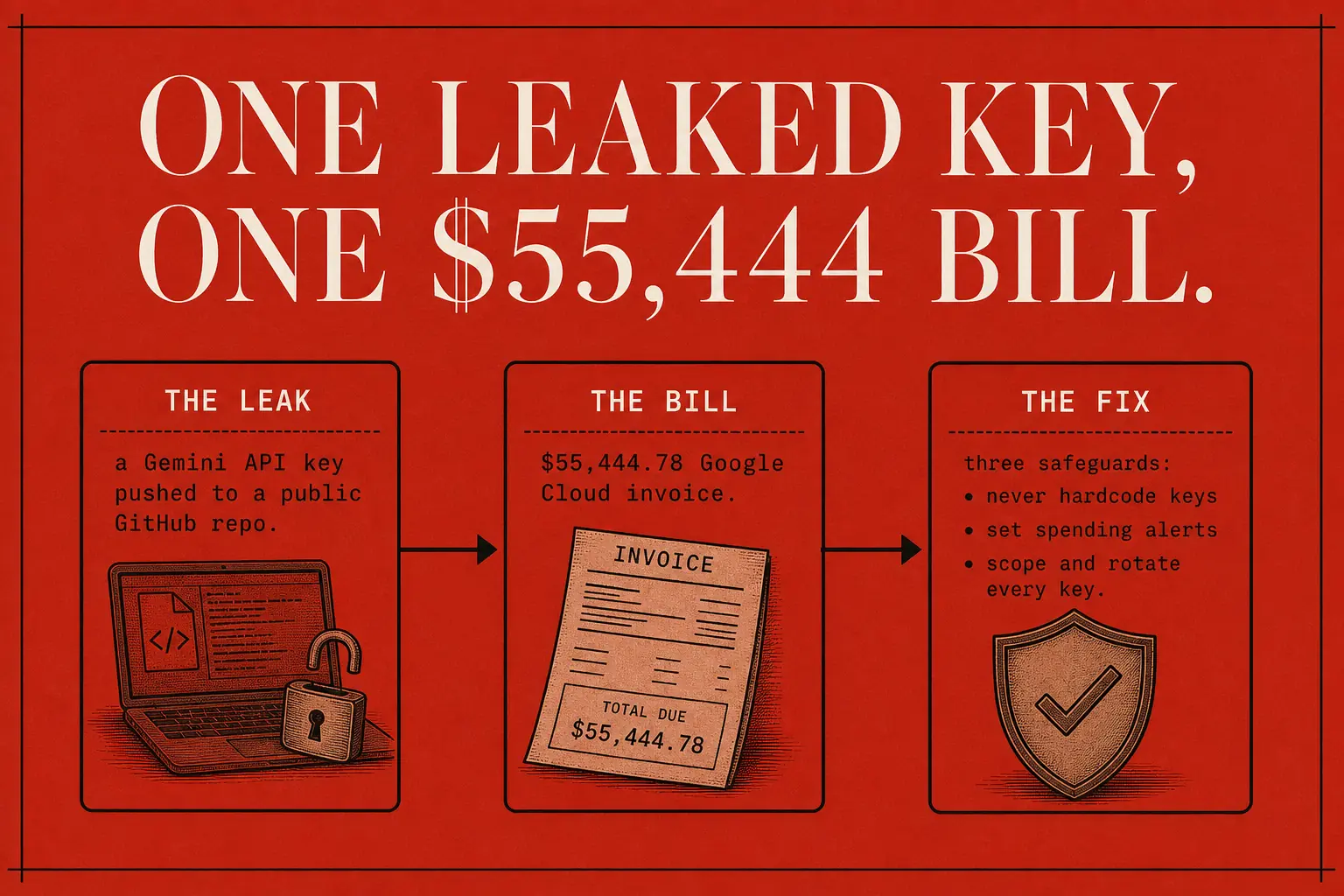
And the nightmare that makes all of this concrete: @bonsaixbt documents a student who "incurred a $55,444.78 Google Cloud bill after pushing a Gemini API key to a public GitHub repository." Three non-negotiable safeguards fall out of that:
- Never hardcode API keys. Use environment variables backed by a vault.
- Set spending alerts on every cloud dashboard before you deploy anything.
- Scope and rotate every key. Give each agent its own minimal-scope credential, never your root key, and rotate on a schedule. A leaked key then has a small blast radius and a short life, not a $55,444 one.
That is containment thinking, and it generalizes past credentials. Point an agent at a brokerage account and the same question decides everything: the edge is the risk architecture around the model, not the model. Loss halts, position sizing, per-trade stops. A bad prediction should cost you a bounded amount by construction, the same way a leaked key should.
CH.08
How do you build this without it becoming a disaster?
Don't build the home data center first. Build the smallest loop that proves the system works, then add paid and physical layers only against a trigger. The honest timeline matters: a dashboard scaffolds in about an hour, but a working system (agents wired, vault connected, one recurring business task automated) is a 30-day build at roughly 30 minutes a day.
flowchart LR
  A["Day 1<br/>Audit"] --> B["Week 1<br/>Quick wins"]
  B --> C["Weeks 2-3<br/>Infrastructure"]
  C --> D["Week 4<br/>Orchestrate"]
  D --> E["Month 2+<br/>Local compute"]
- Audit (Day 1). List every AI and SaaS subscription, its cost, and whether it touches sensitive data. @alchemyofmax's audit surfaced $47,000/year of AI spend producing "organized chaos," and yours will reveal redundancies too.
- Quick wins (Week 1). Swap the mature, low-friction tools first: 1Password → Vaultwarden (same client apps, new server), Google Photos → Immich, ChatGPT Plus + Claude Pro → LibreChat with your own API keys, Calendly → Cal.com. After each, use only the replacement for three days. If you hit a blocker you can't clear in 30 minutes, keep the paid tool and revisit later.
- Infrastructure (Weeks 2–3). Get a $5–$20/month VPS (Hetzner, DigitalOcean, or a decentralized option like FluxCloud for jurisdictional diversity, per @Flux_Indonesia_). Install Docker, deploy n8n, deploy Supabase/Postgres, and wire every workflow to write its state to the database. Master plain API integrations before AI workflows (@ViolentBearr's path). Verify with one end-to-end automation that replaces a daily manual task. @ViolentBearr's canonical example: "Email arrives → AI replies in my tone → Saves as draft for approval."
- Orchestrate (Week 4). Stand up the coordination layer (the four-layer agentic OS, built out in full here) and point it at the box you just provisioned. Wire exactly one workflow end to end: a morning intel sweep that pulls fresh content in your niche, summarizes it on the local model, and drops the digest where you'll read it, which exercises memory, coordination, and scheduling at once. Add an approve flow so a human signs off before anything irreversible.
- Local compute (Month 2+, optional). Only if your monthly API spend tops $200. Buy the hardware, install Ollama, pull your models, and point n8n and LibreChat at the local endpoint. Route routine traffic locally, reserve API calls for the hard cases.
The verification gates, stated pass/fail:
- Day 7. Ask the system about work you did three days ago. Correct, contextual answer? If no, the memory layer is broken.
- Day 14. Trigger a multi-agent workflow from the dashboard and watch it finish unattended. If no, the coordination layer is broken.
- Day 21. Do you have a recorded demo of a real task automated end to end? If no, you're not ready to sell.
- Day 30. Have you invoiced one client for an AI-automated deliverable? If no, you're still consuming, not producing.
And the throughput to expect on the hardware side, typical rather than guaranteed: roughly 20–40 tokens/sec for 14B models on an M4, 10–20 t/s on Ryzen for larger models. Aim for an ~80% drop in cloud spend, and a network monitor confirming zero outbound traffic to Anthropic, OpenAI, or Google during local inference. Track these against real logs, not vibes:
| Metric | Target | How to verify |
|---|---|---|
| Time saved per week | >5 hours | task logs, before vs after |
| Cost per output | falling month over month | tokens per deliverable, from the analytics panel |
| Revenue from AI services | >2× total tool cost | invoice tracking |
| Agent reliability | >85% first-try success | manual interventions per 100 tasks |
The frame that makes the cost panel useful: watch cost-per-output, not cost-per-token. If your weekly spend is up 30% but output is up 60%, the economics are working. Watching tokens in isolation makes you ration prompts and starve the work.
CH.09
Where does paid still win, and what's hype?
This whole thesis is hype if it doesn't flag the real costs, and several of the loudest numbers in the corpus are unverifiable.
The hidden costs
Self-hosting means you are the ops team (Linux admin, Docker, DNS, SSL, security patching, backup verification). @dashboardlim's 4-question discovery is the antidote. Before building, ask "What happens when it breaks?" If you don't have an answer, you're not ready. The specific caveats stack up:
- @exploraX_ is honest about Vaultwarden: "You become your own backend provider. If the server dies without backups, the vault dies."
- The UI gap is real too: @MiteshJ71069 admits "AgentKit's ChatKit is beautiful, n8n still looks 2019," and a tool your team won't adopt has zero ROI.
- Immich is "still pre-1.0," so keep a second backup.
- Plausible "lacks multi-touch attribution and deep funnels."
Where paid still wins outright
For teams under five people who value speed over control, @WasimShips' ~$175/month solo-founder stack (Figma free + v0.dev $20 + Midjourney $10 + Cursor Pro $20 + Claude AI $20 + Supabase + Vercel + Upstash $25–50 + Typefully $15 + Intercom AI $50) beats spending 40 hours building a self-hosted equivalent. Your time has a cost. The break-even for self-hosting n8n versus Zapier is roughly when you'd pay Zapier more than $600/year. Below that, setup time eats the savings.
The claims to distrust
Specific claims to discount:
- @0xKnzo's "$380,000 in savings" from a Mac Mini cluster is presented without evidence and won't generalize. Treat it as marketing.
- "Free, no API keys" tools that promise keyless access to frontier models (FreeBuff and similar) are almost certainly fragile free-tier proxies that will rate-limit or vanish. Verify before you build on them.
- Local models genuinely fail on complex multi-step reasoning, tool reliability, and long-context retention, the hard 20% the break-even math already set aside.
- There's a quiet caveat worth holding too: DeepSeek processing "internally in Chinese" is both a subtle-bug risk and a data-residency question.
- The running-it-for-free stack is real, but every income, click-count, and time-saved figure attached to it (the four-figure retainers, the "1,134 clicks a day") is creator-reported and unaudited. Use them as shape, never as fact.
And re-check every model version number and price against current models before you reuse it. They age in weeks.
CH.10
The bottom line: own the harness, rent the model
The desk-sized data center isn't a replacement for cloud AI. It's a hedge against subscription volatility, a privacy control, and, at sufficient scale, a genuine cost advantage.
But the deeper lesson across every source is one sentence: own the harness, rent the model. The orchestration layer, the memory spine, the dashboard, the routing logic (these are your IP, and they last for years). The models are rented by the token and cycle every six months. When one gets recalled or repriced, you swap a config line instead of rebuilding workflows.
Three things the builds in this piece prove:
- The hardware proves you don't have to rent the compute.
- The coordination layer (its own build, the agentic-OS plan) proves you don't have to rent the orchestration.
- The open-source map proves you don't have to rent the software.
The difference between an AI hobbyist and an AI operator in 2026 isn't the number of subscriptions held. It's whether there's an operating system underneath that you actually own.
The 4 skills behind this note
- Sign in to open
Research a topic into clusters
Turn a TOPIC into current, deduped, exhaustively-sourced DRAFT NOTES via the v5 research engine (research/,...
- Sign in to open
Publish the article
THE long-form article publisher
- Sign in to open
Narrate a note (audiobook)
Stage 3 of the blog pipeline
- Sign in to open
Generate the quiz
Stage 4 of the blog pipeline