MASTER PLAN: THE SYSTEM — 2026-06-27PUBLIC
The complete agentic operating system I'm building on Windows: the six-layer stack I own, and the honest 24/7 gaps
A solo automation engineer's full plan for an agentic operating system he owns outright on Windows 11: a six-layer stack from the Claude Code brain to the nightly self-improvement loop, the Barry-skill and two-routine disciplines that keep it cheap, a five-stage content-growth loop, three scheduler tiers, and every honest 24/7 caveat named. The model is rented. The harness is the asset.
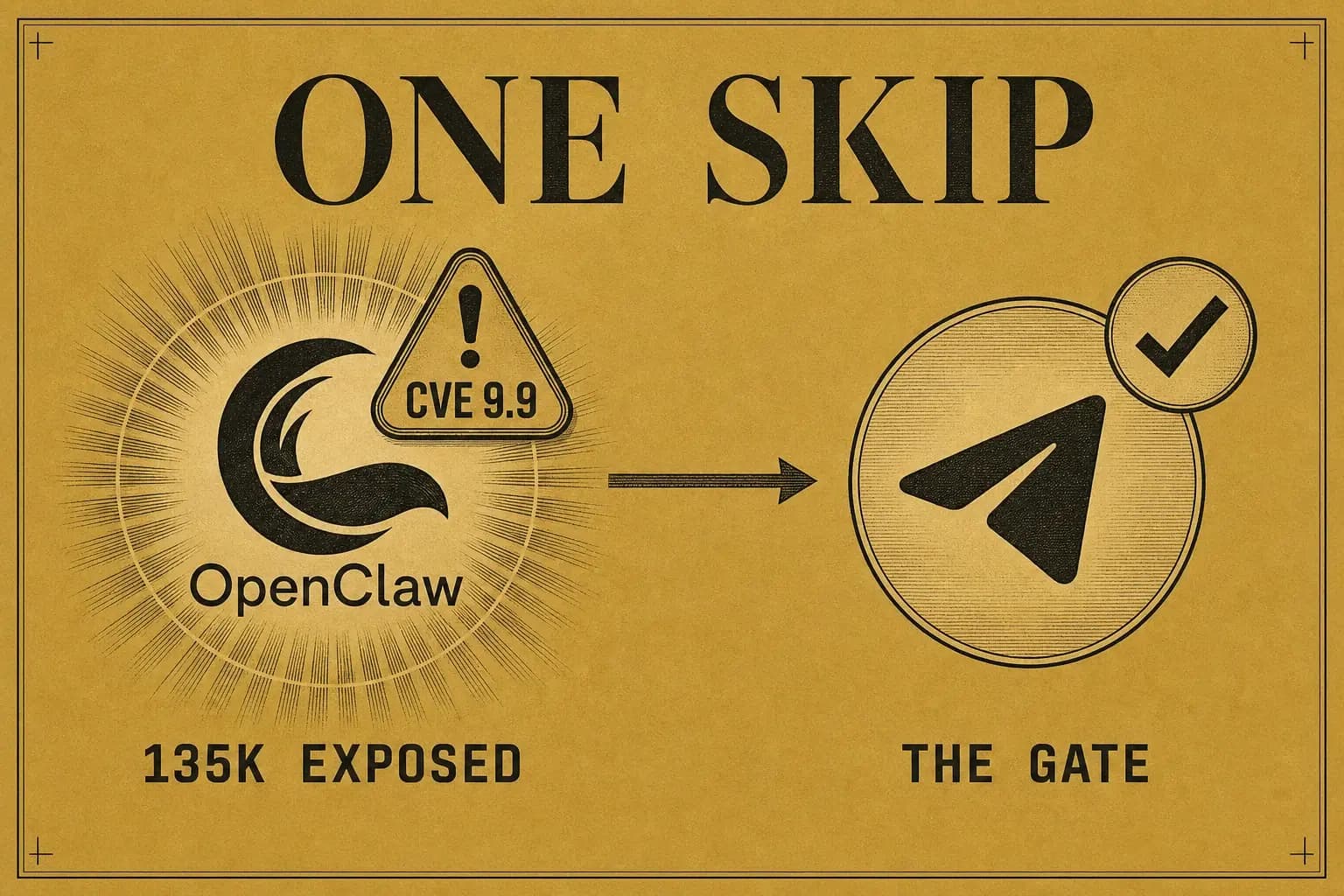
It's tempting to boil the field's "agentic OS" down to three words: just run n8n. Seventeen detailed builds compressed into a single workflow canvas. Tidy. Also wrong. The honest version is messier, because the mistake isn't laziness, it's trusting the demos. When you stop watching the highlight reels and actually install the field's "agentic OS" tools, they split cleanly in two:
- A real, open-source core: Claude Code, Hermes, OpenClaw, all genuinely installable and now native on Windows, though one of the three carries a security record bad enough that I skip it.
- A paid-community branding layer bolted on top: the "Pantheon" of personas, the overnight "dreaming" loop, the "Mission Control" dashboards, sold through subscription communities and absent from any official codebase.
This plan takes the real core (minus that one piece, more on it below), rebuilds the good ideas from the branding layer with tools I already own, and runs the whole thing on the machine I actually sit at: Windows 11. Every tool below was checked for Windows support and current status in June 2026. The faithful tool-by-tool reference behind every choice is attached: the complete agentic-OS reference.
CH.01
What does the loop actually do, and where's the money?
One closed loop turns real automation work into clients, five stages, each feeding the next. The money order never changes: clients first, everything else downstream.
flowchart LR
  S["1 SENSE"] --> T["2 STRATEGIZE"]
  T --> A["3 ACT"]
  A --> O["4 OBSERVE"]
  O --> L["5 LEARN"]
  L --> S
| Stage | What it does |
|---|---|
| 1 · SENSE | Read competitors honestly, winners and failures, plus my own world: the 14,099-post automation corpus I already mined, and the cheap social-intelligence funnel I already built. |
| 2 · STRATEGIZE | Turn one real project into an optimized post-series and a funnel that points at the service. |
| 3 · ACT | Gated auto-posting and replies inside a safe envelope, every outbound action approved from my phone. |
| 4 · OBSERVE | A "what happened in the last 4 hours?" digest, computed from logs and narrated by the model, never invented. |
| 5 · LEARN | Compare results to baselines, then rewrite the memory that feeds STRATEGIZE. |
The order of the money matters more than any single stage:
Clients first. Subscribers are the asset. Views are fuel. Ad-revenue is a rounding error.
Content is build-in-public of real work, so a single artifact is portfolio, proof, and distribution at once. The difference isn't a fancier diagram. It's that the loop is run by a complete agentic OS that remembers, schedules, controls, and improves itself, not a single workflow canvas.
CH.02
Can this really run on Windows, or is it a Mac-only fantasy?
The field assumes a Mac. I run Windows 11, and the verified answer is that the core tools are now first-class here, but the "24/7 server" story has real holes I plan around instead of pretending away.
Every field build quietly assumes a MacBook or an always-on Mac Mini: Homebrew, ~/.config, desktop cron. On Windows 11, each layer has to translate. The good news is that the core tools are now genuinely native. The honest news is that running a home PC as an always-on server has gaps, and I'd rather design around them than discover them in production.
flowchart TB
  subgraph PC["Always-on Windows 11 PC"]
    CC["Claude Code (native, PowerShell)"]
    TS["Task Scheduler (PC awake)"]
    subgraph WSL["WSL2 + Docker Engine + systemd"]
      SVC["n8n / Postgres / services"]
    end
  end
  CC --> SVC
  TS --> CC
  CLOUD["Claude Routines (cloud, PC asleep)"] -.-> GH["GitHub repo"]
  GH -.-> CC
  CC --> TG["Telegram (control from phone)"]
  TG --> CC
The translation, tool by tool, every row verified against primary docs in June 2026:
| Field default (Mac-centric) | Windows-native equivalent | Verified status |
|---|---|---|
| Claude Code on macOS/Linux | Claude Code native on Windows 11 (irm https://claude.ai/install.ps1 | iex, or winget install Anthropic.ClaudeCode) |
Native, no WSL2 required. claude -p headless works. Sandboxing is the one gap, it needs WSL2 |
| Homebrew | winget | winget install -e --id OpenJS.NodeJS.LTS · Docker.DockerDesktop · Obsidian.Obsidian · Python.Python.3.13 · Git.Git |
| Desktop cron | Windows Task Scheduler | Native. "run whether user is logged on or not" + missed-run catch-up. Env vars need a wrapper script, a named account (not SYSTEM) for user-installed CLIs |
| Always-on Mac Mini | Always-on Windows 11 PC | Works, with caveats (below) |
| n8n via Homebrew/pm2 | Docker Engine inside WSL2 with systemd | pm2 startup is broken on Windows. Docker Engine-in-WSL2 (systemctl enable --now docker) is the dependable always-on path |
| bash / zsh | PowerShell (+ Git Bash when installed) | Native PowerShell tool in Claude Code. Git Bash enables the Bash tool |
Here's the part the demos skip. Docker Desktop on Windows does not run headless. It needs an interactive login to start containers, and Docker's own roadmap issue for this is still open. WSL2 updates through the Microsoft Store, and that update kills running instances without warning. Windows forced restarts can still fire outside an 18-hour Active-Hours window. A home PC realistically lands around 95–98% uptime, and running it 24/7 burns real electricity. So the plan is layered: the PC-awake tier runs interactive and scheduled work (Task Scheduler + Docker Engine in WSL2), and the truly always-on, machine-asleep tier runs in the cloud (Claude Routines), with a cheap Hetzner Linux VPS (from ~€3.49/mo) as the honest fallback if I ever need a service that genuinely cannot blink.
I am not going to pretend a desktop is a datacenter.
CH.03
What do I already have, and what do I still need to build?
Most of this OS already exists in my repo and the systems around it. The job is mostly wiring, not inventing, which is why it's a matter of weeks, not months.
| OS layer | My actual asset | Status |
|---|---|---|
| Core runtime | Claude Code + .claude/skills + pre-commit hooks + CLAUDE.md discipline gates |
Have: this site runs on it |
| Code memory | graphify (298 nodes / 597 edges / 15 communities on this repo. The real payoff is on btc-bot, 728k lines) | Have: graphify-out/ is committed |
| Semantic memory | CLAUDE.md + docs/STATE.md spine. A self-improving wiki is the gap |
Partial: add the LLM-wiki pattern |
| Control surface | Next.js 16 + Vercel + Neon + Auth.js v5, the live /notes members funnel and /dashboard cabinet |
Have: the dashboard foundation already ships |
| SENSE data | The 14,099-post / 7,526-account corpus + the Apify discovery→enrich→score funnel | Have: base rates already de-overfitted |
| Cheap inference | A pool of free NVIDIA NIM models: minimaxai/minimax-m3, google/diffusiongemma-26b-a4b-it, moonshotai/kimi-k2.6, z-ai/glm-5.1, mistralai/mistral-medium-3.5-128b (separate free key per model, one concurrent worker each) |
Have: free-tier per key, pooled for throughput + multi-model coverage |
| Channels | Telegram bot as the two-way approval surface | Build: small, well-understood |
| Cadence | /loop (have) + Task Scheduler (build) + Cloud Routines (build) |
Partial |
| Self-improvement | Self-updating CLAUDE.md, per-skill learnings.md, an overnight digest |
Build: the compounding layer |
CH.04
What are the layers, and how do they map to Windows?
Six layers, each mapped to a Windows-native tool and, wherever possible, to something I already run.
flowchart TB
  subgraph CORE["Core: the brain"]
    CCW["Claude Code on Windows"]
  end
  subgraph MEM["Memory"]
    CMD["CLAUDE.md + skills + learnings.md"]
    WIKI["LLM wiki (Obsidian, Karpathy pattern)"]
    GRAPH["graphify code graph"]
  end
  subgraph CONN["Connections: the hands"]
    CLI["CLI-first + direct REST"]
    MCP["MCP: Context7 + Tool Search"]
    TGRAM["Telegram control"]
  end
  subgraph CAD["Cadence: the heartbeat"]
    LOOP["/loop (session)"]
    TASK["Task Scheduler (PC awake)"]
    ROUT["Cloud Routines (PC asleep)"]
  end
  subgraph CTRL["Control: the cockpit"]
    DASH["Next.js dashboard on Vercel + Neon"]
  end
  CCW --> CMD
  CCW --> GRAPH
  CCW --> CLI
  CCW --> MCP
  LOOP --> CCW
  TASK --> CCW
  ROUT --> CCW
  CCW --> DASH
  DASH --> TGRAM
1: Core runtime (the brain)
Claude Code, native on Windows, is the OS. It reads CLAUDE.md, runs skills, calls tools, schedules work, and runs headless behind buttons. The same plain-folder setup is portable. It would run unchanged in Codex or Cursor, but Claude Code is home base. Per-task model economics is the lever the field dresses up as "personas": I just route the work by model tier. Opus 4.8 for planning and synthesis, Sonnet 4.6 for execution and most sub-agents, Haiku 4.5 for bulk classify and cron autopilot, plus the free NVIDIA gemma tier where latency allows.
2: Memory (so it stops forgetting)
Four real stores. Semantic: CLAUDE.md plus a self-improving LLM wiki in Obsidian, built on the pattern Andrej Karpathy published, a raw/ folder of sources and a wiki/ folder the model owns, navigated by an index.md rather than vector search (no embeddings needed at hundreds-of-pages scale). Procedural: the Agent Skills standard, each skill self-improving via a learnings.md read before every run. Episodic: an append-only memory.md of decisions, Git-backed nightly and refactored quarterly so it never rots. Code: graphify, on btc-bot, where querying god nodes and summaries instead of re-reading source cuts tokens hard roughly 82–86% on a large repo, per the field's measurements. I'll verify on btc-bot before quoting it as my own. One shared vault path so Claude Code and the wiki read one universal memory.
3: Connections (the hands)
Cheapest-correct wins: CLI-first and direct REST over MCP wherever a CLI exists, because piping a CLI through the bash tool is far leaner than loading a fat MCP schema (the field measures it on the order of 60–70% fewer tokens than the equivalent MCP connector, a figure I treat as directional, not gospel). Where a standard connector wins, MCP earns it: Context7 for version-correct library docs (npx ctx7 setup --claude), and Anthropic's Tool Search, now auto-enabled in Claude Code, which defers tool schemas and, by Anthropic's own figure, collapses system-tool overhead from roughly 15k tokens to under 1k. That token arithmetic is the whole reason to be picky here, and it is only half the decision now that the protocol itself deleted its handshake and put three primitives on a removal clock. Telegram is the two-way control and approval channel on my phone.
4: Cadence (the heartbeat), three tiers
/loopfor session-scoped work (minutes to ~3 days).- Windows Task Scheduler for persistent jobs while the PC is awake.
- Claude Cloud Routines for work that must run while the machine is off: the morning brief, the 4-hour digest.
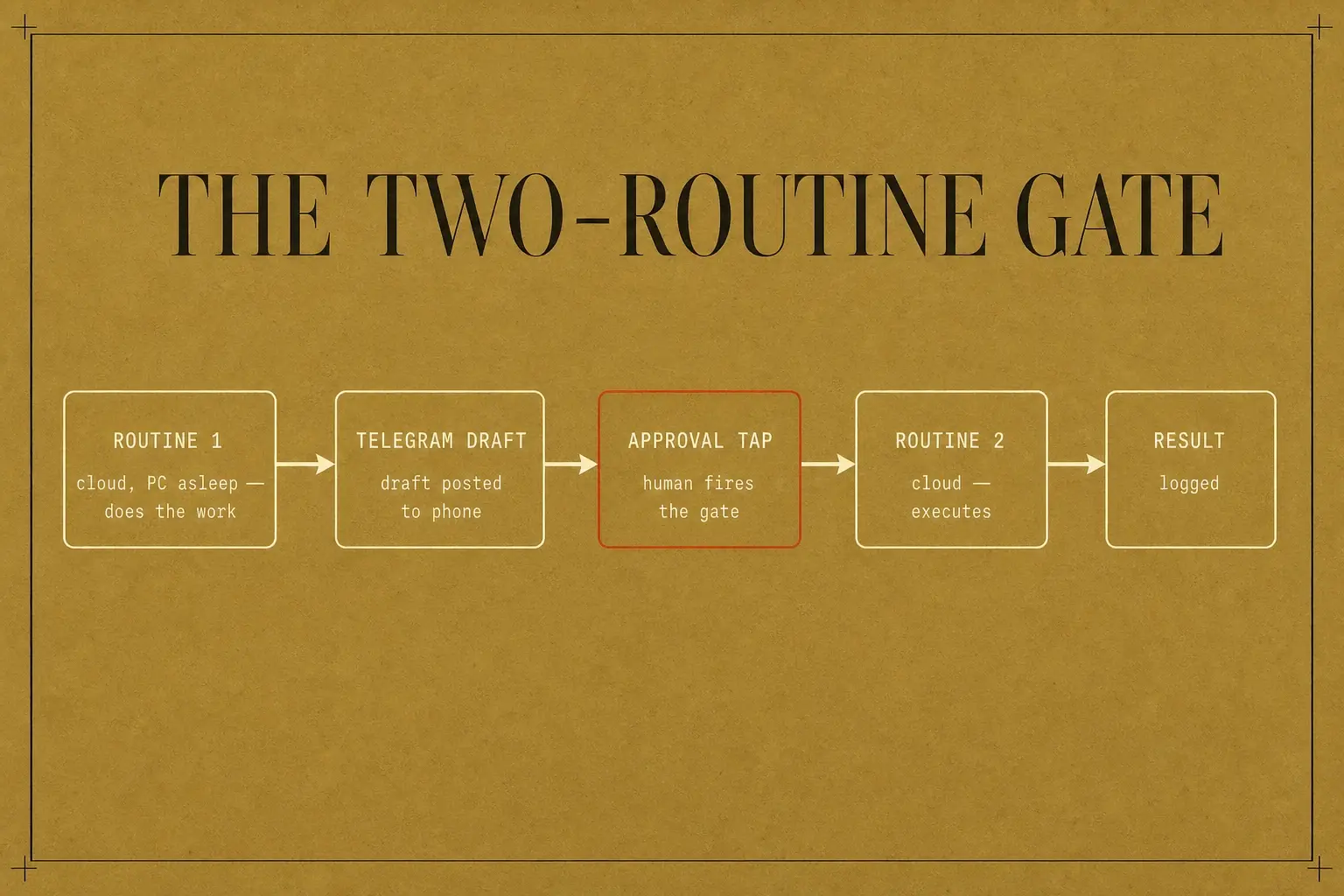
Routines clone the repo into a 4 vCPU / 16 GB cloud box, run a saved prompt, and push a branch back. The minimum interval is 1 hour, and they draw on the same subscription quota. Every autonomous post still passes a Telegram approval tap. One honest gap the demos skip: a cloud routine cannot pause mid-run to wait for that tap. So anything high-stakes splits across two routines with a connector as the gate: routine one does the work and posts a draft to Telegram, I approve, and that approval webhook fires routine two, which executes. The two-routine gate is what makes supervised autonomy real on a machine I'm not sitting at, instead of a single routine I'd have to trust blindly.
5: Control surface (the cockpit)
A Next.js dashboard on my existing Vercel + Neon + Auth.js stack, not a bolt-on. Mission Control (the active goal and the me-vs-agent split), live AI spend, the memory and schedule panels, and skill buttons that run Claude Code headless. I already ship OAuth-gated, server-rendered surfaces for the members funnel. The dashboard is the same machinery pointed inward.
6: Self-improvement (why it compounds)
An overnight digest: read the day's session history, find patterns and unused capabilities, emit a morning brief tied to my goals. Combined with a self-updating CLAUDE.md and per-skill learnings.md, the OS gets a little better while I sleep. This is the LEARN stage turned on the system itself, on top of LEARN for the content. And when any chain produces weak output, I don't rebuild the whole prompt sequence. I open the trace, start at the bad result, and walk backwards until I hit the step that pulled the wrong source or made the wrong call. Nine times out of ten the weak link is one or two steps before the end. Fix that one component, leave the rest.
CH.05
How do I shape the skills so they stay cheap and reliable?
Skills are the procedural memory, and two rules keep them from rotting into expensive slop: build narrow skills that do one job instead of clever general agents, and give every skill a hard definition of done it has to hit before it stops.
The first rule has a name worth stealing: build Barry skills, not Mahesh agents.
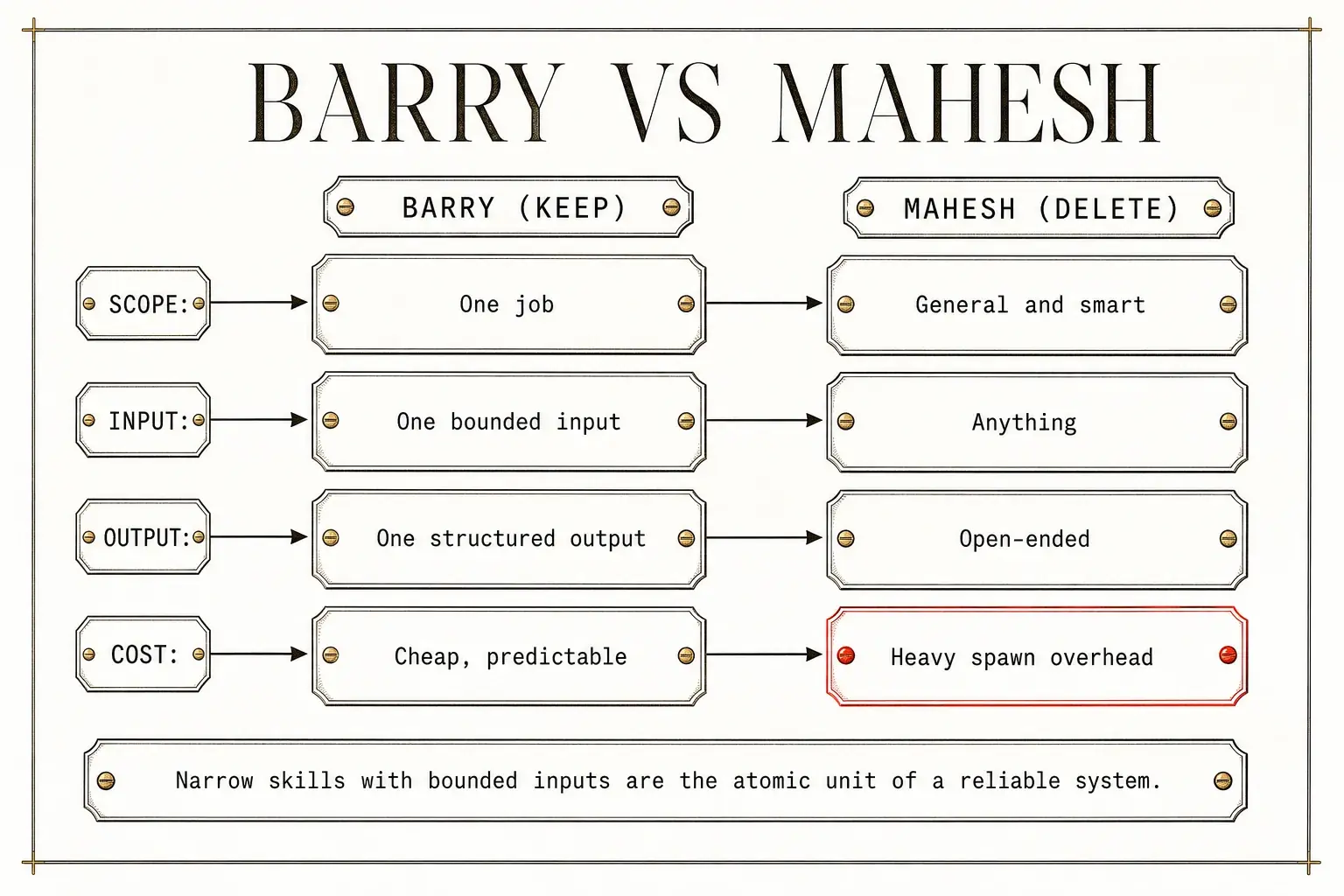
| Barry (keep) | Mahesh (delete) | |
|---|---|---|
| Scope | One job | General and "smart" |
| Input | One bounded input | Anything |
| Output | One structured output | Open-ended |
| Cost | Cheap, predictable | Heavy spawn overhead |
A Barry does one thing against a known input and returns one shape. A Mahesh is the tempting "build me an agent that handles everything," and it spawns with a pile of context, no domain shape, and a token bill that scales with its own vagueness. My rule: if a sub-agent would spin up with tens of thousands of tokens of overhead and no bounded job, it's a Mahesh, and I redesign it as a Barry before it costs me twice. Narrow skills with bounded inputs are the atomic unit of a system that stays reliable as it grows.
The second rule is structure. Each skill is a folder with a shape I think of as Direction, Blueprints, Solutions:
| Layer | Where | What it holds |
|---|---|---|
| Direction | skill.md |
The metadata, the step-by-step workflow, the rules, and the definition of done |
| Blueprints | references/ |
Static assets the workflow needs (a brand guide, a style sample, a lookup table), read only when a step calls for it |
| Solutions | scripts/ |
Real code for what language does badly: API calls, file conversions, math |
The metadata block (a name and a one-line description) is what lets the agent decide whether to load the rest, so a whole library of skills costs about what one question costs until one actually fires. The references/ split keeps large static assets out of every load. The scripts/ layer is the line between a real skill and a saved prompt: the moment a job touches data or another system, the skill calls code with a defined contract, generated once and reused, so it gets faster and more reliable each run.
The single most-omitted piece, and the most common cause of weak output, is the definition of done. Without a finish line the agent stops at the first thing that looks finished. With one ("a table, one row per item, a source on every figure, a confidence flag on each row") it has to match the spec or keep working.
That finish line is what makes a loop safe to leave running at all, which is the difference between a loop inside a verification harness and one that just burns tokens confidently. And whether a given job wants a loop in the first place is the decision that determines everything downstream of it: most of what people reach for an agent to do is a workflow that has not admitted it yet.
Write outcome-first, not task-first
One prompting shift makes all of this land: with an agent that acts on files, write outcome-first, not task-first. Task-first ("read each receipt and add up the totals") micromanages the path and breaks on the first weird input. Outcome-first ("produce one summary, a row per receipt with vendor, date, amount, and currency, blank any illegible field and flag it for review, save to output/") hands over the destination and the rails, and it survives a receipt with a layout I didn't anticipate. I author skills bottom-up first, running a task by hand until the output is right, then turning that working run into a skill and hardening it into the DBS shape. After any run that gets something wrong, I edit the skill so the next run can't repeat it. That one self-improvement edit is the whole reason the system gets better instead of plateauing.
CH.06
What does the field actually get right (and what's just marketing)?
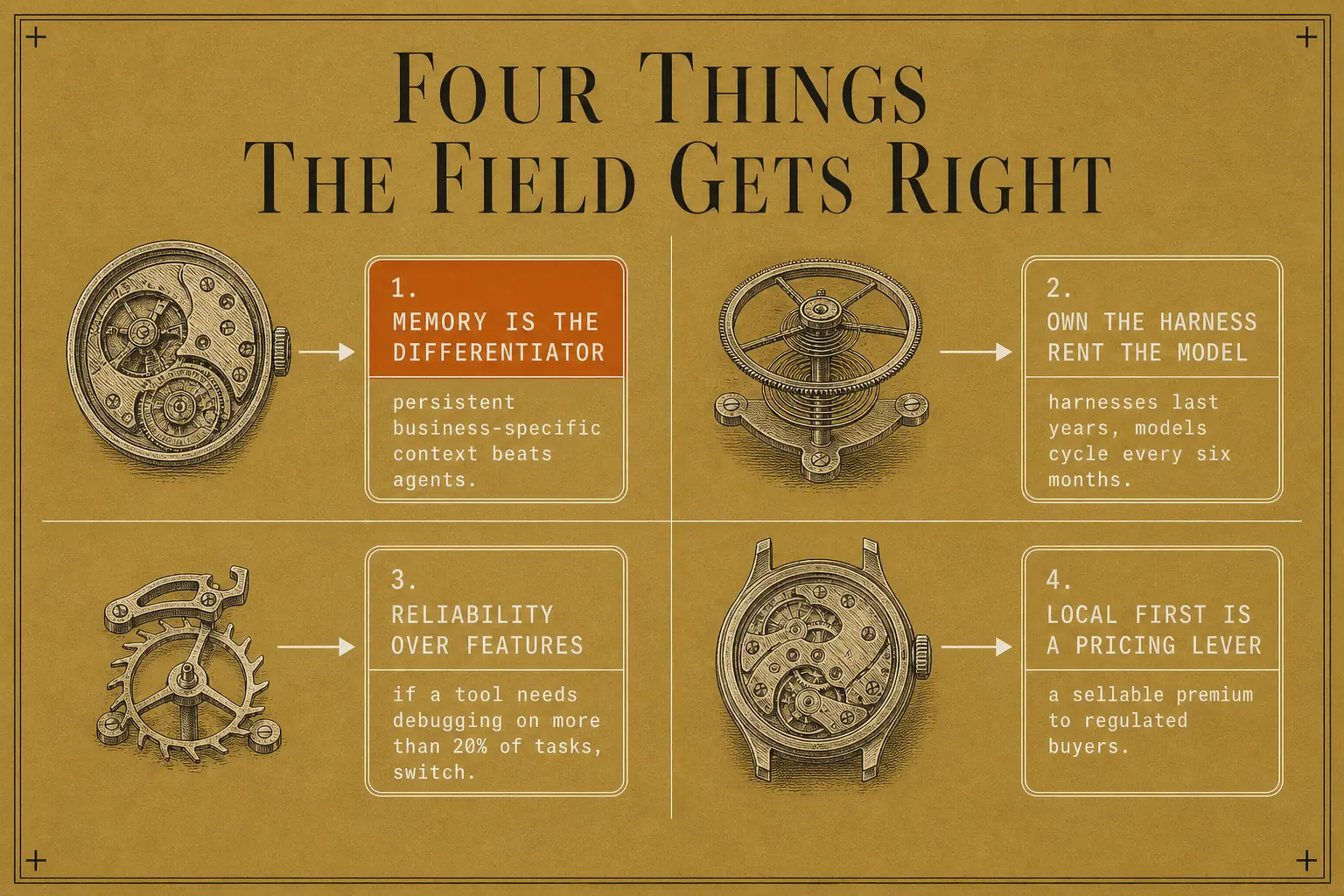
The field gets one big thing right: the memory layer is the real differentiator, not the agents. Almost everything else loud about it is marketing.
A 95-post teardown of the field's loudest agentic-OS seller, kept as private competitor research, confirms the spine of this plan and sharpens a few ideas worth taking verbatim. The same research habit, pointed at a retailer's published rules and API instead of at a competitor, produced a teardown of what a corporate AI hackathon actually scores, where the finding was that the binding rubric and the advertised one are different documents.
- The memory / "Self" layer is the differentiator, not the agents. The single most-repeated, most-defensible claim in the whole field: context is the biggest driver of output quality. Without a persistent, business-specific memory, agents produce generic work, but with it, the output is in your voice and facts. That's exactly Layer 2 above, which is why the memory stores are built first and read on every run, not bolted on as an afterthought.
- "Own the harness, rent the model." Harnesses last years, models cycle every six months. Build on open, swappable agent shells (Claude Code, Hermes) and treat the model as a hot-swappable part, which is precisely why the model layer here is the free NVIDIA pool with one frontier model reserved for the top, re-rankable as ratings shift.
- Reliability over features when picking agent tools. Demos are cherry-picked, real use is messier. A blunt, keepable heuristic: if a tool needs debugging on more than 20% of tasks, switch. Favour the boring, reliable option for bulk work, reserve the flashy one for the narrow case it's genuinely best at.
- Local-first is a positioning lever, not only a privacy choice. "Data never leaves the machine" is a sellable premium to regulated buyers, legal, medical, finance, and that's a pricing angle for the offer, not just an architecture note.
Everything around those ideas in the source (the revenue claims, the listicle volume, the "free, no API keys" tool claims) is scaffolding, not method. The architecture and the cost-engineering are the parts worth taking. The funnel theatre isn't.
CH.07
Which tools make the cut, adopt, defer, or skip?
Adopt the boring, verified core, skip the one tool with a 9.9-severity CVE, route around the demo that's flaky on Windows. Every tool below was checked for real Windows-11 support and current status in June 2026, and rated honestly.
| Tool | Windows-11 reality (verified) | Decision | Why |
|---|---|---|---|
| Claude Code | Native and the OS this site already runs on (install + the one WSL2-sandbox caveat are in the translation table above) | Adopt: core | Home base for the whole stack |
| Hermes (Nous Research) | Real, MIT, native Windows desktop app since v0.16.0 (June 2026), only the dashboard's embedded terminal needs WSL2 | Adopt: base | The open-source agent is the research / long-running-workhorse tier, adopted now. Only the paid "Pantheon / dreaming / Mission Control" branding ($59/mo Skool) is skipped |
| OpenClaw | Real, MIT, native Windows Hub app, but a critical RCE-class CVE (reported as CVE-2026-32922, CVSS 9.9) and exposure scans reporting roughly 135k internet-exposed instances, a majority unauthenticated | Skip | A control plane with that reported exposure record is not going on my machine, the capability isn't worth the blast radius |
| n8n | Stable on a 24/7 Windows PC three ways: Docker Engine in WSL2 (restart: unless-stopped, truly headless, the path the translation table picks), Docker Desktop (fine on an always-on auto-login box), or native npm (npm i -g n8n) run as a service via nssm or Task-Scheduler-at-logon |
Adopt | It works on Windows. Use it for deterministic canvas flows + the 400+ app connectors (webhooks, schedules, OAuth) where a visual graph beats code, Claude Code skills still own the code-side logic |
| NVIDIA NIM (free pool) | Hosted API works from Windows, the same pool of 5 free models listed in the asset table above, ~40 RPM per model-key → one worker per model for N× throughput, self-host containers are Linux-only | Adopt | Free bulk inference, pool the model-keys, keep gemma as the universal fallback. Proven in the mining pipeline (281 posts distilled across the pool). deepseek-v4-pro was dropped, its endpoint times out |
| Context7 + Tool Search | Both GA and cross-platform, Tool Search auto-on in Claude Code | Adopt | Live docs + big context savings, near-zero setup |
| Obsidian | Obsidian + CustomJS/Dataview fine on Windows, the Terminal/Shell-Commands plugins have open Windows bugs | Adopt: base | The base memory layer, local-first, plain-markdown, hugely adopted, the self-improving LLM wiki lives here and every agent reads it. Only the buggy embedded-terminal dashboard is skipped |
| Telegram + Railway | Telegram Bot API is pure HTTPS (cross-platform), Railway Hobby ~$5/mo for a tiny always-on bot | Adopt | Approve/reject via inline buttons is the firewall |
| Granola (meeting ingest) | Native Windows app + REST API since 2025 (not Mac-only) | Optional | Only if meeting capture becomes part of SENSE |
Two things that table understates:
- Adopting n8n is the easy half. Keeping a canvas flow alive in production is a discipline of its own, with its own data model and failure modes. A flow that works once and a flow that survives a bad webhook at 3am are not the same artifact.
- The Decision column has a rule under it. The adopts are the pieces with a stable contract, the skips are the ones asking me to bet the stack on their roadmap. That rule is worked out properly in what is worth standardizing on in an agent-native stack. The tools churn. The interfaces you commit to are what you live with.
Three headline corrections fall out of that table. Hermes the codebase is real and runs on Windows, adopt it as base, but most of what the videos sell under its name is a configuration layer I can reproduce myself, so that marketed layer is a defer, not a must-buy. OpenClaw is a hard skip on security grounds. And the field's nicest demo (the Obsidian dashboard with an embedded terminal) is exactly the piece that's flaky on Windows, so I route around it onto the Next.js stack I already run.
CH.08
How do I build it without fooling myself?
Build green, validate before autonomy. The gate after Phase 1 is load-bearing. The machine is earned, not assumed.
flowchart LR
  P0["Phase 0: OS skeleton"] --> P1["Phase 1: SENSE + STRATEGIZE (by hand)"]
  P1 --> GATE{"Beats baseline?"}
  GATE -- no --> P1
  GATE -- yes --> P2["Phase 2: memory that grows"]
  P2 --> P3["Phase 3: dashboard + model routing"]
  P3 --> P4["Phase 4: OBSERVE + overnight digest"]
  P4 --> P5["Phase 5: ACT, gated"]
  P5 --> P6["Phase 6: LEARN closes the loop"]
- Phase 0: the OS skeleton. Harden what I have:
CLAUDE.md+ identity files, the skills library, hooks, graphify on btc-bot, the Obsidian LLM-wiki scaffold. Stand it on the Windows PC with Claude Code native, Docker Engine in WSL2, and one Task Scheduler job. Done when: one end-to-end "hello": a scheduled task pulls data → a skill processes it → a Telegram tap writes a result. - Phase 1: SENSE + STRATEGIZE, by hand. The content-intelligence skill (honest, follower-normalized base rates, n≥30) + the project→campaign generator. Post manually for two weeks and measure against baseline. Gate: if it doesn't beat baseline, fix the strategy. Build no autonomy.
- Phase 2: memory that grows. Wire the LLM wiki + per-skill
learnings.md+ the shared vault path. Done when: a second STRATEGIZE run visibly drops a losing pattern it learned about itself. - Phase 3: dashboard + model routing. Stand up the Next.js Mission-Control dashboard on Vercel/Neon. Implement the per-task model routing. Done when: the dashboard shows live state and a headless button runs a skill.
- Phase 4: OBSERVE + the overnight digest. The "what happened in 4h?" Telegram digest (SQL counts, the model only narrates) + the morning brief. Done when: a 4-hour digest reconciles exactly with the logs and a morning brief lands tied to my goals.
- Phase 5: ACT, gated. Autonomous reply-drafting to high-signal niche posts, every post through the Telegram approval tap, inside a safe envelope with a hard daily cap. Only after Phase 1 passed.
- Phase 6: LEARN closes the loop. Weekly, the system compares its results to benchmarks and rewrites the memory that feeds STRATEGIZE. The overnight digest rewrites the OS itself.
Every "Done when" above is doing one job: making a phase falsifiable. That is not optional decoration on an unattended system, because the expensive failures do not crash, they succeed quietly and a pipeline with no append-only record cannot tell you which run went wrong or when.
CH.09
What could go wrong, and what does it cost?
Five things can sink this, and each has a named fix: skipping the by-hand validation gate, handing an agent a credential it can fire unsupervised, treating hostile input as safe, letting the expensive tier quietly run up the bill on routine work, and mistaking a desktop for a datacenter.
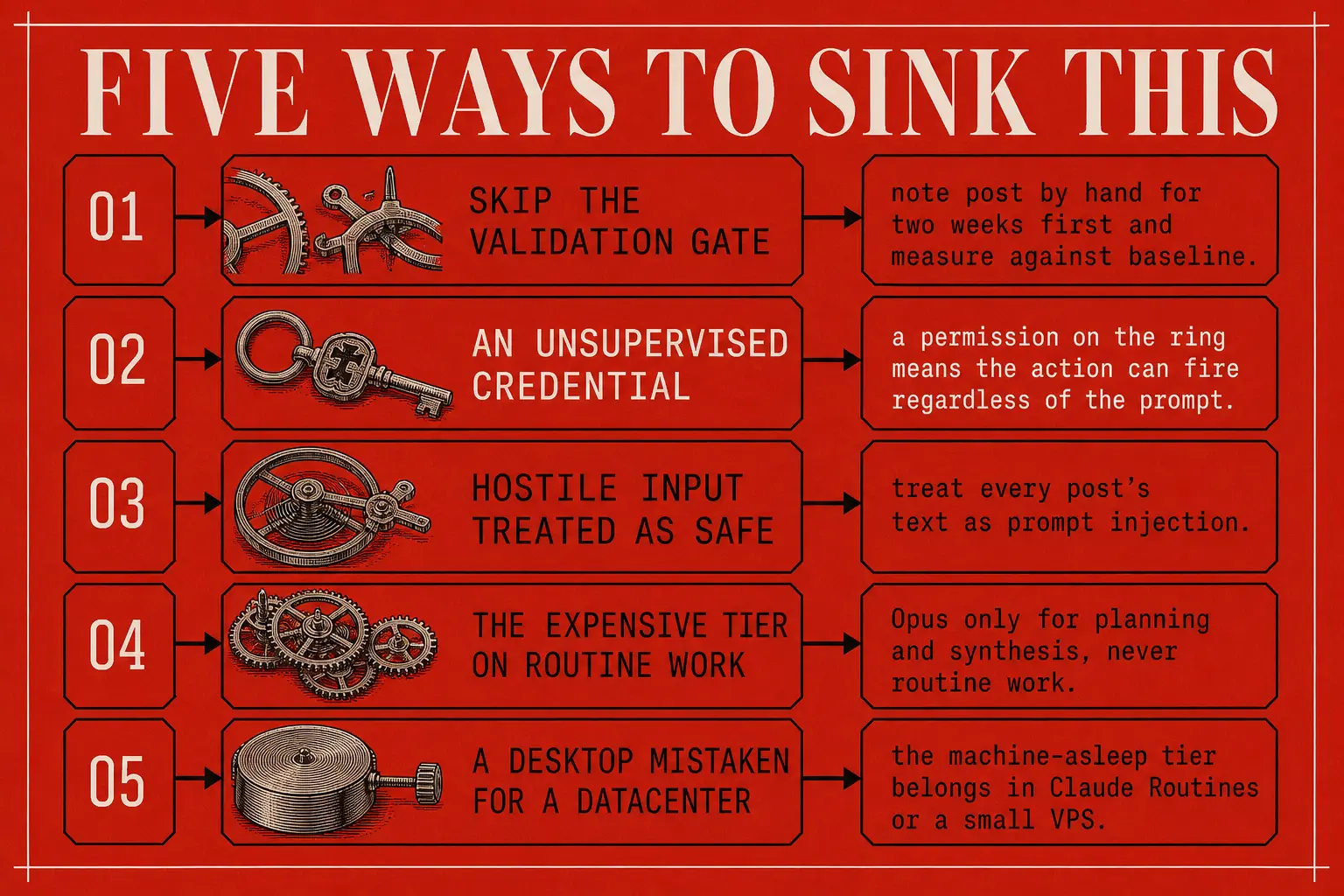
Validate the content strategy by hand before any autonomy (the Phase 1 gate). This is the one rule that, if skipped, wastes everything downstream. No exceptions for being in a hurry.
Permission scoping is the real stakes. A credential on the ring means the action can fire regardless of what the prompt says.
The everyday version of this problem is smaller and far more common than a breach: an agent that keeps working while quietly losing the plot, which is what the harness around it exists to prevent. Supervision is not a person watching, it is structure that makes drifting expensive for the machine and obvious to you.
An open control plane gets found, and OpenClaw's reported majority-unauthenticated exposure is that lesson in one number. Gate every outbound post behind the Telegram tap. Never automate likes, follows, or DMs.
Cost discipline
Claude API pricing, June 2026, current-generation rates (per million tokens):
| Model | Input | Output |
|---|---|---|
| Opus 4.8 | $5 | $25 |
| Sonnet 4.6 | $3 | $15 |
| Haiku 4.5 | $1 | $5 |
Cache reads run ~0.1× and writes ~1.25×. The OS leans on three levers to stay cheap:
- Aggressive prompt caching.
- A disciplined
/compactcadence. - The model split from the Core layer: Opus only on planning and synthesis, never on routine work.
Together they keep the whole loop near a few dollars a day instead of tens.
Security
Verify every package before install, as Claude Code itself had two patched CVEs in 2025–26, and OpenClaw's record is worse. Treat hostile post text as prompt injection. Keep secrets out of prompts and in environment variables. The Telegram approval tap is the firewall, not a formality.
Reliability honesty
The Windows PC is the convenient host, not a guaranteed one. The 24/7, machine-asleep tier belongs in Claude Routines or on a small VPS, and the plan says so up front, rather than discovering it in production.
Experimental and in motion. The complete tool-by-tool reference behind every choice here (including everything the n8n-only write-up dropped) is the attached agentic-OS reference, the faithful synthesis of all 17 field builds. The Windows-specific support status and costs above were checked against primary sources in June 2026. The third-party security figures (the CVE, the exposure scans) are as reported at that time, worth re-checking before you lean on them.
1 file to take with you
- Sign in to open
agentic-os-reference.md
Document · 69 KB · members
The 2 skills behind this note
- Sign in to open
Hand off between sessions
Prepare a clean session handoff for the next AI session
- Sign in to open
Compact the docs
Compact, consolidate, trim, and fact-verify over-budget Markdown docs down to their check_md_size WARN thre...